Start with a well-balanced drum module, then use the console for refinement—not rescue. Route kick and snare separately if possible, set consistent gain, and use minimal EQ or compression. Add intentional ambience and judge every change with the full band.

When churches switch to electronic drums, many sound techs make the same mistake: they treat them like acoustic drums. They start adding more EQ, more compression, and more processing.
In my experience dialing in electronic drums at church for several months, the opposite approach usually sounds better.
Electronic drum sounds are already shaped inside the module. The mixer’s job is to refine those sounds, place them in the band, and keep the mix consistent—not rescue a poor source sound.
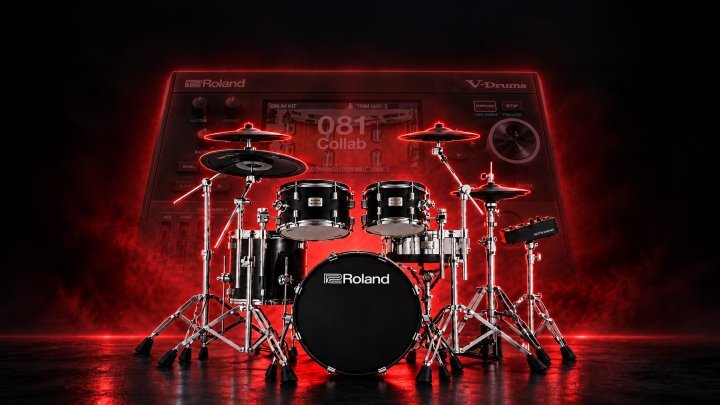
Before you touch the console, make sure the kit already sounds good coming from the module. If the snare is wrong, choose or edit a better snare in the module. If the cymbals are unnaturally loud compared with the rest of the kit, correct that balance there.
This is the foundation of a good electronic drum mix. A mixer can refine a sound, but it cannot turn the wrong drum sound into the right one.
Get the kick, snare, toms, cymbals, and internal ambiance working together as a kit before sending them to the console.
The simplest connection is a stereo mix from the drum module to two console inputs. That can work well, especially when the kit is balanced properly inside the module.
The limitation is that every level decision is tied together. If the kick becomes too quiet during the service, turning up the stereo channel also turns up the snare, toms, cymbals, and ambiance.
Separate outputs give you more control over the parts of the kit that matter most in the worship mix.
Download my actual kit for Roland V-Drums →
The Roland V51 module has a stereo master output and two assignable direct outputs. A practical setup is:
This gives you individual control of the kick and snare while preserving a stereo image for everything else. Those are the two elements you will most often need to adjust independently in a live mix.
If I were using the Roland V71 module, I would put the toms on their own stereo output and the cymbals on another output. That provides more control over the larger sections of the kit, but the important principle is to choose routing that fits the control you need at the console.
Set every output on the drum module to 0 dB. If the module allows it, disable the volume control so the drummer cannot accidentally—or purposefully—change the level after you have set gain.
Then have the drummer play at a solid performance level. Set the gain at the mixer so the channel meter reaches the point where the green lights meet the yellow lights.
This gives you a consistent starting point every week and keeps you from chasing level changes with faders, processing, or effect sends.
Do not set gain while the drummer is barely playing. Gain needs to reflect the level they will actually play during worship.
Acoustic drums arrive at the console as raw microphone signals. They often need significant EQ and processing.
Electronic drum sounds are different: they have already been EQ’d and mastered in the module.
That means you may not need any EQ at the mixer. A flat EQ is completely fine when the source sound is working. Listen to the electronic drums with the full band, identify an actual problem, and fix that problem if you hear one.
But do not add EQ simply because you would normally EQ an acoustic drum channel.
If the kick already has the weight it needs, the snare already cuts through appropriately, and the cymbals are bright without being harsh, leave the EQ alone. More processing is not automatically better processing.
Electronic drums are already much more controlled than acoustic drum microphones. Be careful with compression, because the kit may not need it.
Use compression only when you can hear a dynamics issue in the mix.
For example, if the snare repeatedly jumps out and then disappears, compression can help make it more consistent. If there is no identifiable dynamics problem, do not add compression out of habit.
Most electronic drum modules include built-in reverb and ambiance. You do not have to use all of it.
My module has an overhead ambiance that I like because it helps the kit sound more natural. For reverb, though, I add it at the mixer.
A small, bright room reverb works well on the cymbals, toms, and snare. It brings those sounds to life and helps the kit feel less like separate samples.
The snare generally needs a little more space, so I also add a significant amount of hall reverb to the snare alone.
Use the same hall reverb that is on other instruments. That shared reverb helps glue the drums into the band instead of making them feel disconnected from the rest of the mix.
The goal is enough ambiance and reverb for the kit to mesh with everything else, while keeping the drums clean enough to provide energy and definition.
If the effects begin to blur the impact of the kit, pull them back.
Soloing a channel is useful when you are trying to locate a problem. It is not where you should make final mix decisions. A drum sound can seem great by itself and still fail to support the band.
Listen to the kit in context:
Keep bringing the whole band back in as you work. The final question is not whether an individual electronic drum sound is impressive in solo; it is whether the kit gives the worship mix the energy, clarity, and definition it needs.
©
Collaborate Worship. All rights reserved.